
 Netherlands
 Belgium
 Denmark
 Germany
 France
 United States
 Austria
 UK
 Spain
 Italy

Black Friday without a busy signal
A hold message with your shipping times and a phone menu: order status and returns are split off, and only what needs a person reaches the team.
Phone menu (IVR)Shoppers call about their order, their delivery and their return, and on the busiest trading days they all do it at once. With a phone menu, a queue and recorded shipping times, only the calls that need a person reach your customer support team, while other callers already have their answer. Good phone support builds trust, and trust helps online sales.

A hold message with your shipping times and a phone menu: order status and returns are split off, and only what needs a person reaches the team.
Phone menu (IVR)
Calls go in turn to whoever is on customer service. Whoever is packing sets themselves to unavailable in the dashboard for a while.
Phone systemThis is the setup we use most often for an online store. You can take parts out or add them, but this order makes sure order status and returns are dealt with before an agent picks up.
The welcome message tells the caller right away that they have come to the right place. With the text-to-speech assistant you make it yourself, so callers hear a proper greeting from the day you go live. If you sell under several brands, each number gets its own greeting.
Order status, returns and everything else do not belong in the same queue. This phone menu (IVR) separates them before anyone answers.
“Press 1 for the status of your order, press 2 for returns, press 3 to speak to us.”
A recorded message about your current processing times answers the order status question, so most of those calls never reach your team.
The returns option sends these calls straight to whoever handles returns, so the customer does not have to explain their problem three times. With call recording you can listen back to how those calls went.
Questions about stock, shipping or the returns policy go to one of your colleagues, in the office or working from home.
When all colleagues are busy, the queue keeps the caller on the line with a waiting message. Put your shipping times or holiday delivery deadlines in it, so the most common question is answered before anyone speaks to an agent.
“What you order today, we ship tomorrow. Please stay on the line, you will be connected shortly.”
Outside your opening hours the caller hears a message, and anyone who cannot reach you leaves a voicemail. The message arrives in your inbox right away, so you can deal with it between two shipments.
Every incoming call, missed call or voicemail can trigger a webhook that sends the details in real time to your CRM, helpdesk or order management system. Your agent can then see the caller’s order history before picking up, and a missed call can create a ticket. API integrations explains how that works.
During the peak weeks you add temporary team members, and afterward you remove them again. On the team dashboard you set who answers when, so the calls in the queue are shared among everyone, in the office or at home.
Calls over the phone network. Calls arrive straight on the mobile over the phone network, so nobody depends on a working internet connection. Forwarding to your existing phone system or a SaaS tool is possible too.
We run our own IVR platform and are a licensed telecom operator in 14 European countries. When your lines are busy during a flash sale and something needs to change, the team that runs the platform makes the change.
Extra routing for a sale or a campaign, set up by our own team.
If something does not work, we look into our own platform and fix it.
Call queues, the phone menu and call recording start with the Customer Service plan (up to 8 people): €49 per month. If you run the store on your own, forwarding to your mobile, a welcome message, voicemail and text-to-speech are already part of the Business Number plan. For a link to your store or a setup with several brands, we plan the details with you in one conversation.

Want to talk it over first?
Our team helps you with numbers and voicebots in each of our countries. Call us or use the contact form.
Go to the contact form → From any country +31 85 400 5588A business phone number for your online store’s customer support, shown on your website, in order confirmations and on your contact page. Behind it, a phone menu, a queue and opening hours decide who answers, and calls ring on the mobiles or phones your team already uses. Shoppers who can reach a real person before they complete their cart tend to trust the store more, which helps customer satisfaction and e-commerce sales.
With a queue, a phone menu and extra people for the peak weeks. The call queue plays a waiting message with your current shipping times or holiday delivery deadlines, so the most common question is answered before the caller speaks to an agent. The phone menu handles order status and returns separately, and for the peak weeks you add temporary team members and remove them afterward.
With a separate returns option in your phone menu, which sends these calls straight to the right person. With call recording you can review how returns calls are handled, spot recurring product complaints and use recordings for training. If one product causes a rise in returns calls, the statistics panel shows it.
Yes, if you connect your store. Every incoming call, missed call or voicemail can trigger a webhook that sends the details in real time to your CRM, helpdesk or order management system. When a customer calls about an order, your agent can see their details and order history before answering, and a missed call can create a ticket automatically.
No. You activate a business number and forward the calls to your mobile, and to your partner’s mobile too if you run the store together. As you grow, you add colleagues and features, and our support team helps you set them up.
That depends on the plan. Voicemail, a welcome message and text-to-speech come with the smallest plan, Business Number. Phone menus, call queues and call recording start with Customer Service. You make all welcome messages and menu prompts with our text-to-speech assistant.
Yes. You set your opening hours in the dashboard, and outside those times callers hear a message. Callers can leave a voicemail, which reaches you by email as an audio file right away, so you can call back between two shipments.
Yes. Each brand gets its own phone number with its own welcome message and routing rules, and your team handles all of them in one dashboard. Call volumes for each brand are visible there too, for reporting and invoicing.
A business number instead of your mobile number. A toll-free, national or local phone number shows customers that they can reach your business, and your personal mobile number stays private. The number stays the same when you hire staff or change phones.
Yes. You add a phone number for each country you sell in and show it on your website for that country, so a French customer sees a +33 number and a German customer a +49 number. All calls go to your existing team, in one dashboard and on one invoice. The address rules differ by country and number type: every French number needs a French establishment, while a UK number works with a business address anywhere in the world.
No. We forward calls to your mobile over the phone network, so you do not depend on a working internet connection. Everything else runs in the cloud, so you need no phone system on site; forwarding to your existing phone system or a SaaS tool is possible too.
Yes, through webhooks or our API. Your call data then sits next to your customer records in your CRM, helpdesk or order system. If you need something that does not exist yet, we discuss it with you as a custom solution.
If you run the store on your own, the Business Number plan (€149 a year) includes forwarding, a welcome message, voicemail and text-to-speech. A phone menu, call queue and call recording come with Customer Service: €49 a month or €490 a year for up to 8 people. Calls on local and national numbers in the 14 European countries where we are licensed are included with normal use; prices exclude VAT.
Yes. Our support mailbox is monitored around the clock, so a problem during an evening sale or a weekend rush is picked up right away. Every customer gets this support, without a separate SLA.

Our team helps you with numbers and voicebots in each of our countries. Call us or use the contact form.
 European Union
GDPR-compliant · data in the EU
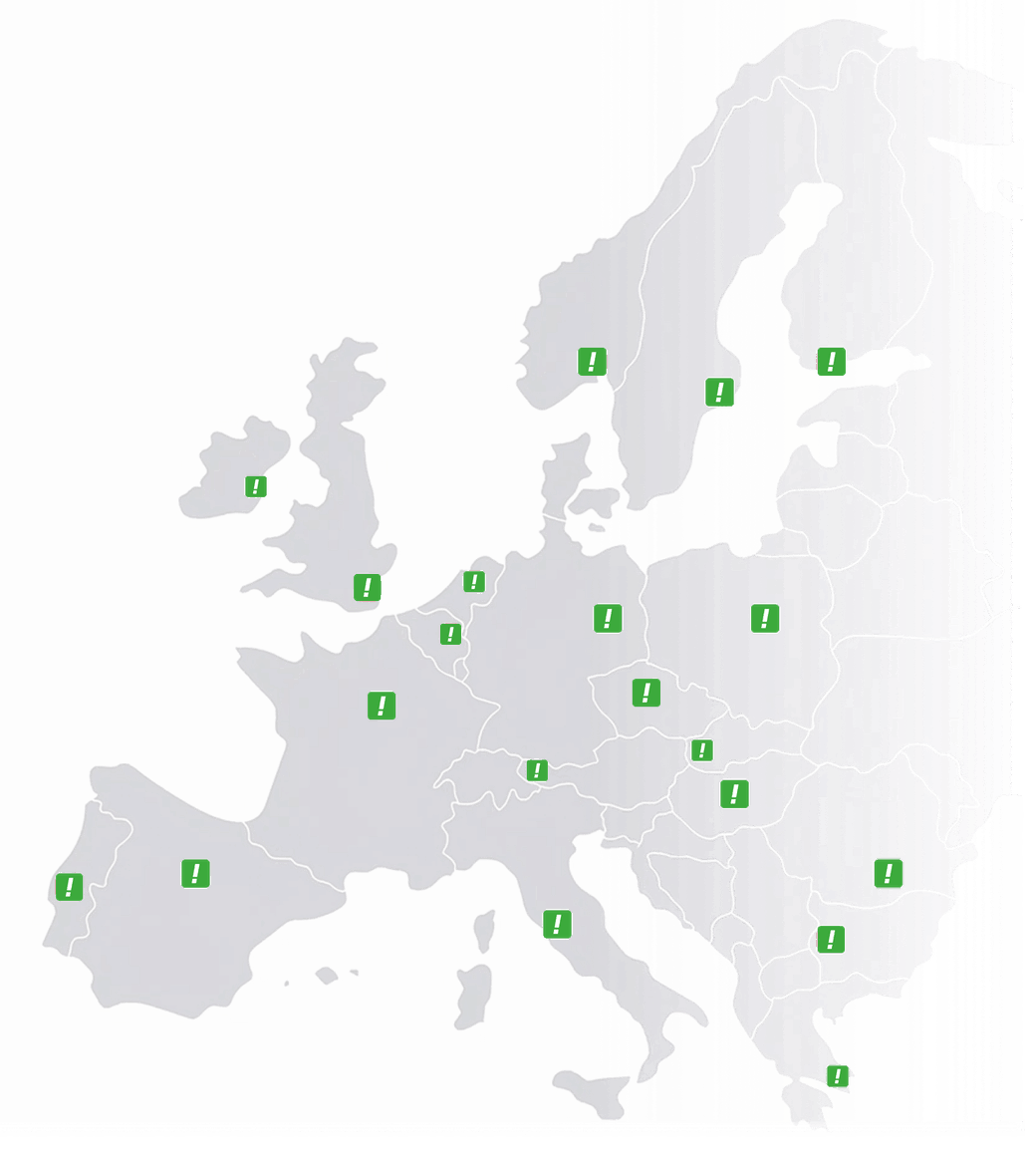 Licensed in 14 European countries