
 Netherlands
 Belgium
 Denmark
 Germany
 France
 United States
 Austria
 UK
 Spain
 Italy

Reception is at lunch, the customer still gets through
A ring order behind your number: if the first person is away or doesn’t answer, the next one gets the call.
Phone systemYou started on your own and took every call yourself on your business phone number. Now there is a team, maybe a second branch, and calls need to reach whoever is available instead of just you. You arrange that behind the same number, so your customers keep calling the number they know and you never need a new phone system.

A ring order behind your number: if the first person is away or doesn’t answer, the next one gets the call.
Phone system
Your business number rings on the mobile you already have. When a colleague joins, you add them, behind the same number.
Your business number on your mobileThis is the setup we use most for a team with sales and support on one number. If you are starting on your own, the number, the welcome message and voicemail are enough, and you add the rest as the team grows.
You choose a toll-free, national or local number in our number search, and we forward the calls to your mobile phone, a desk phone or any other destination you choose. Your business number is live within one business day, and you keep your personal number private.
A welcome message tells the caller they have come to the right place, and if it mentions your opening hours or website, many routine questions are answered before anyone picks up.
“Welcome to Harrison Installations.”
One question, and each option goes to the team that can help the caller. With this phone menu (IVR) the phone no longer depends on one person, and it works the same whether you have three employees or thirty.
“Press 1 for sales, press 2 for support.”
New business calls go to your sales team, which is no longer interrupted by support questions.
Existing customers reach the support team, which no longer has to handle sales calls. Both teams can sit in the same office with the same phones, while the routing decides who answers first.
On the team dashboard each team member sets their own availability. Calls go out in the order you choose, and if the first person does not answer, the next one gets the call. Anyone going on vacation sets themselves to unavailable, and you add a new colleague in the dashboard.
Weekdays are different from evenings and weekends. After closing time, the opening hours send calls to another destination: voicemail, an after-hours phone, a partner business or an external answering service. You make the message the caller hears yourself with the text-to-speech assistant.
“You are calling outside our opening hours. We are available on weekdays from half past eight, and you can leave a message after the tone.”
If everyone is on a call or in a meeting, the caller reaches voicemail. The message arrives by email, so whoever is free first can call back, and a message left after closing time is waiting in the inbox in the morning.
You do not need any special equipment to get started. The call arrives on your mobile over the mobile network, not over the internet, so no Wi-Fi or data connection is needed. Your mobile rings just as it does for any other call.
Your number stays the same. The number on your website, business cards, Google listing and invoices does not change when you hire staff, switch phones or open a new branch. What changes is what happens behind it.
We run our own intelligent IVR platform and are a licensed telecom operator in 14 European countries. When you need a change or something does not work, the same team that runs the platform looks into it and makes the change, so a new branch in your menu is quickly arranged.
A new branch in your phone menu, added by our own team.
The people who run the platform handle it themselves.
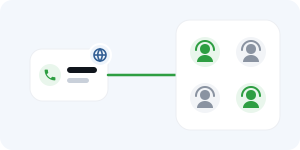
If you are starting on your own, the Business Number plan is enough: one number on your own mobile, with a welcome message and voicemail. When a colleague starts answering too, the Phone System plan adds a ring order, opening hours and the team dashboard. The setup on this page, with a phone menu for sales and support, comes with the Customer Service plan (up to 8 people): €49 per month. Your number stays the same at every step.

Want to talk it over first?
Our team helps you with numbers and voicebots in each of our countries. Call us or use the contact form.
Go to the contact form → From any country +31 85 400 5588Yes. You do not need any special equipment to get started. Choose a business number, toll-free, national or local, from our online number search and have calls forwarded straight to your mobile phone. It can be live within one business day.
A phone system in the cloud behind your business phone number. It decides who gets each incoming call: a welcome message, a phone menu, a ring order, opening hours and voicemail. You need no hardware in your office, and calls ring on the mobiles, landlines or desk phones your team already uses.
The next person gets the call, in the order you set. If nobody answers, the caller reaches voicemail, and the message arrives by email as an audio file. You can also let several mobiles ring at once, so whoever picks up first takes the call.
No. You keep the same business number the whole way, and your customers never notice the changes behind it. The number stays with your business, whichever phone you use.
Yes, on mobiles and landlines. We forward calls over the mobile and fixed networks, not over the internet, so you need no app, no Wi-Fi and no data connection, and your team stays reachable during an internet outage.
That depends on the plan. Business Number has forwarding, a welcome message and voicemail. Phone System adds a ring order, opening hours and the team dashboard. Customer Service adds a phone menu, a queue and call recording. Tell us how you want to handle your calls and we set it up with you.
Business Number is €149 a year for one person, with forwarding, a welcome message and voicemail. Phone System is €25 a month or €250 a year for up to 2 people, and Customer Service is €49 a month or €490 a year for up to 8 people, with a phone menu, call queue and call recording. Calls on local and national numbers in the 14 European countries where we are licensed are included with normal use. Prices exclude VAT.
Yes. A number handles up to 50 simultaneous calls and up to 50 team members, whether they work from home, in the office or on the road. Phone System covers two people and Customer Service eight; for more people we put together a custom plan.
Yes. You add the new location to your phone menu, and callers choose where they want to go. If one location is closed, calls go to the next branch.
Your business phone number. Outgoing calls show it as caller ID for local and national numbers, to the EU, the UK and the US, so new customers recognize you and your personal number stays private.
Yes. Use one number with a phone menu to separate sales and support, or two numbers, both managed in one dashboard. Each call goes to the right team, and the API can pass call data to your CRM.
A toll-free number is free for the caller, which suits sales and support lines, though it can usually only be called from inside its own country. A national number says you serve a whole country, and local phone numbers say you are based in the caller’s area. All three types are in our number search and are live within one business day, and you can add another type later.
Yes, in most cases. Porting a number to us is free and takes at most five business days, and the number keeps working with your current provider until then. Mobile numbers cannot be ported in.
Partly. The phone system runs in the cloud, and you can connect VoIP desk phones or IP phones to it. Incoming calls to mobiles and landlines go over the mobile and fixed networks instead of the internet, so a weak internet connection does not stop your calls.

Our team helps you with numbers and voicebots in each of our countries. Call us or use the contact form.
 European Union
GDPR-compliant · data in the EU
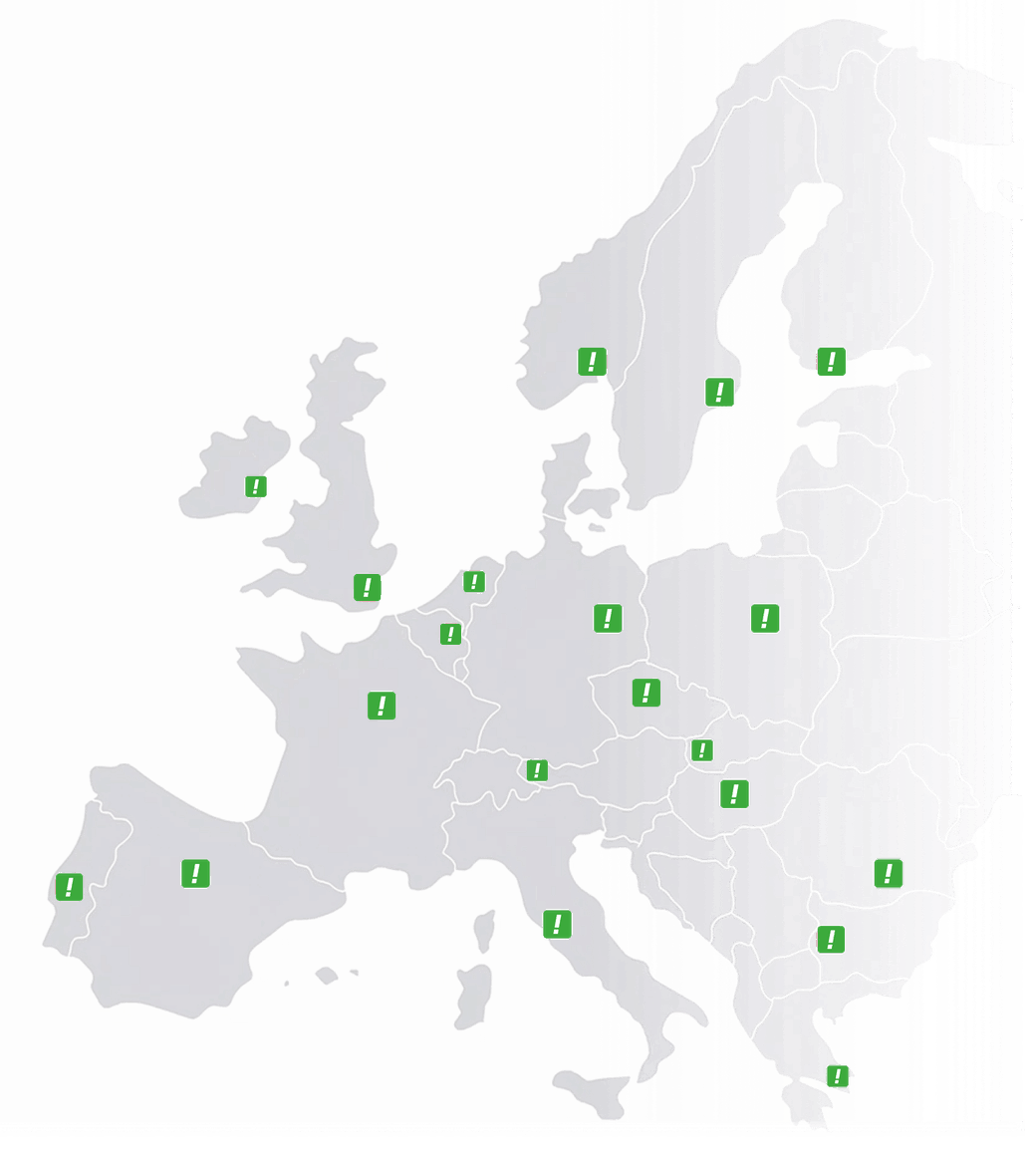 Licensed in 14 European countries