
 Netherlands
 Belgium
 Denmark
 Germany
 France
 United States
 Austria
 UK
 Spain
 Italy

The customer with a leak gets straight through
A phone menu at the start: new inquiries hear that you will call back soon, and existing customers go straight to your mobile.
Phone menu (IVR)The mobile number on the van works until you go on vacation, hire your first employee or cover the night shift on call. A construction business phone number stays with the company, and you decide who answers and in what order. The calls come in on the mobile you already have, on the job site or in the office.
A phone menu at the start: new inquiries hear that you will call back soon, and existing customers go straight to your mobile.
Phone menu (IVR)
First you, then your colleague, then the office. Calls come in on the mobile you already have.
Phone systemThis is what we usually set up for an installer or contractor with a small team. You can take parts out or add them, and you change the call routing yourself in the dashboard at any time, without a technician visit.
A national number or a local number on the van, the website and every business card. If you change phone or network, or sell the business, nothing about that number changes.
One question, two routes. With this phone menu (IVR) a customer with an emergency does not have to wait behind a new inquiry.
“Press 1 for a new quote, press 2 for an existing job.”
Straight to you, because if there is a leak or a power outage, the customer needs you now and not a voicemail.
If you work with colleagues or subcontractors, everyone sets their own availability on the team dashboard. Calls go out in the order you choose, and if the first person does not answer, the call moves on to the next.
With time-based forwarding calls go to the office or reception during the day and to whoever is on call outside office hours.
An extra outlet, a delivery slot or a price agreed with a subcontractor: with call recording the conversation is recorded, so you can listen back if there is a dispute later about what was agreed. Recordings are also useful for training new staff or reviewing how inquiries on a sales line are handled.
Each technician signs in on the team dashboard when their shift starts and signs out when it ends. A last-minute swap is no problem, because the routing changes immediately, and if the person on call does not answer, the call goes to the next in line.
Calls over the mobile network. The call arrives on the mobile over the mobile network, not over the internet, so no Wi-Fi or data connection is needed on site. Forwarding to an existing phone system or SaaS tool is possible too.
We run our own IVR platform and are a licensed telecom operator in 14 European countries. When something on your line needs to change, the team that runs the platform makes the change, which matters when you are on a building site waiting for an urgent message.
A new forwarding rule for the site team, set up by our own people.
If a call does not come through, we look into our own platform and fix it.
The phone menu, call queues and call recording come with the Customer Service plan (up to 8 people): €49 per month. If you work alone and forwarding to your mobile with a welcome message and voicemail is enough, you can start with the Business Number plan. For several projects or a shared on-call line, we plan the setup with you in one conversation.

Want to talk it over first?
Our team helps you with numbers and voicebots in each of our countries. Call us or use the contact form.
Go to the contact form → From any country +31 85 400 5588It should keep new quote requests apart from existing customers, ring on the mobiles your crews already carry and follow an on-call schedule after hours. Ours does that with one business number, a phone menu, the team dashboard and time-based routing, and calls reach the job site over the mobile network, without Wi-Fi or an app.
Because a business phone number stays with the company. Your mobile number is personal: if you change phone, switch network or sell the business, it goes with you. A business number is on every van, leaflet and Google listing and stays the same whatever changes behind it. In the business phone system you change where incoming calls go at any time, without a technician visit.
Yes. You can run one number for new quotes and one for existing customers. The quotes number can be answered by a voicebot that takes the details while you are on a job, and the customer number goes straight to you, because a customer with a problem needs to reach you rather than voicemail. Both numbers can ring on the same phone. A second number for punch-list reports or an emergency line works the same way.
The number on the van stays the same either way. While you are away, you send calls to a business partner, a colleague or an answering service. When you hire your first employee, you add them to the team and they take calls from day one.
No. We deliver calls to your mobile phone over the mobile network, as an ordinary call, so a building site without Wi-Fi or a good data connection is no problem. If the office uses a desk phone, it rings in the same call routing, and we can also forward calls to a phone system or SaaS tool if you prefer.
Each person sets their own availability on our team dashboard, and calls are offered in the order you choose. If the first person does not answer, the call goes to the next team member. A change at the last minute applies right away.
A voicebot can answer for you. It takes the caller’s name, number and what they need, and sends you the details by text or email, so you can call back in your next break. Without a voicebot, the caller can leave a voicemail, which arrives in your inbox as an audio file.
Yes. Time-based routing sends calls to your office during the day and to whoever is on call outside office hours. Technicians sign in and out on the team dashboard, and if the person on call does not answer, the call moves on to the next in line.
Yes. You activate a local number for each development or project and send its calls to the site manager concerned. When the project is finished, you forward the number to the office or switch it off.
Yes, with the Customer Service plan. Recording is useful when verbal agreements are made on site and there is a dispute later. Recordings are kept for up to thirty days by default; keeping them longer is a paid option.
Yes. You add team members and numbers in the dashboard when you are busy and remove them when it gets quiet. Phone System covers up to two people and Customer Service up to eight; for construction companies with a bigger team we put together a custom plan.
Yes, without anyone sharing their personal number. Suppliers and customers call your business number, and the call goes to the worker or supervisor on site. Drivers call the same number to confirm arrival times, which helps avoid missed deliveries, and calls for teams traveling between sites go to their mobiles.
Yes. The Dutch Ministry of Infrastructure and Water Management (Rijkswaterstaat) used our toll-free numbers during major works on the A9 highway: information boards along the road showed the project timeline, a website and a toll-free number for residents to call with questions or complaints. The same approach works for any large construction project, with a dedicated toll-free number or local number on construction site signs, in letters to residents or on the project website. Calls go to a phone menu with recorded updates or to a project information team, and once the project is finished, the number is switched off.
Neighbors and passers-by call the number on the fence about noise, dust, parking or a truck blocking the road, so they do not have to track down a site manager. They first hear a message made with the text-to-speech assistant with the project name, the schedule and the working hours, and then choose whether to speak to someone or leave a voicemail. The contractor listens to the messages in the dashboard and adds notes, so the whole project team knows what each call was about. You change the message yourself, for example for a new completion date, night work or a road closure.

Our team helps you with numbers and voicebots in each of our countries. Call us or use the contact form.
 European Union
GDPR-compliant · data in the EU
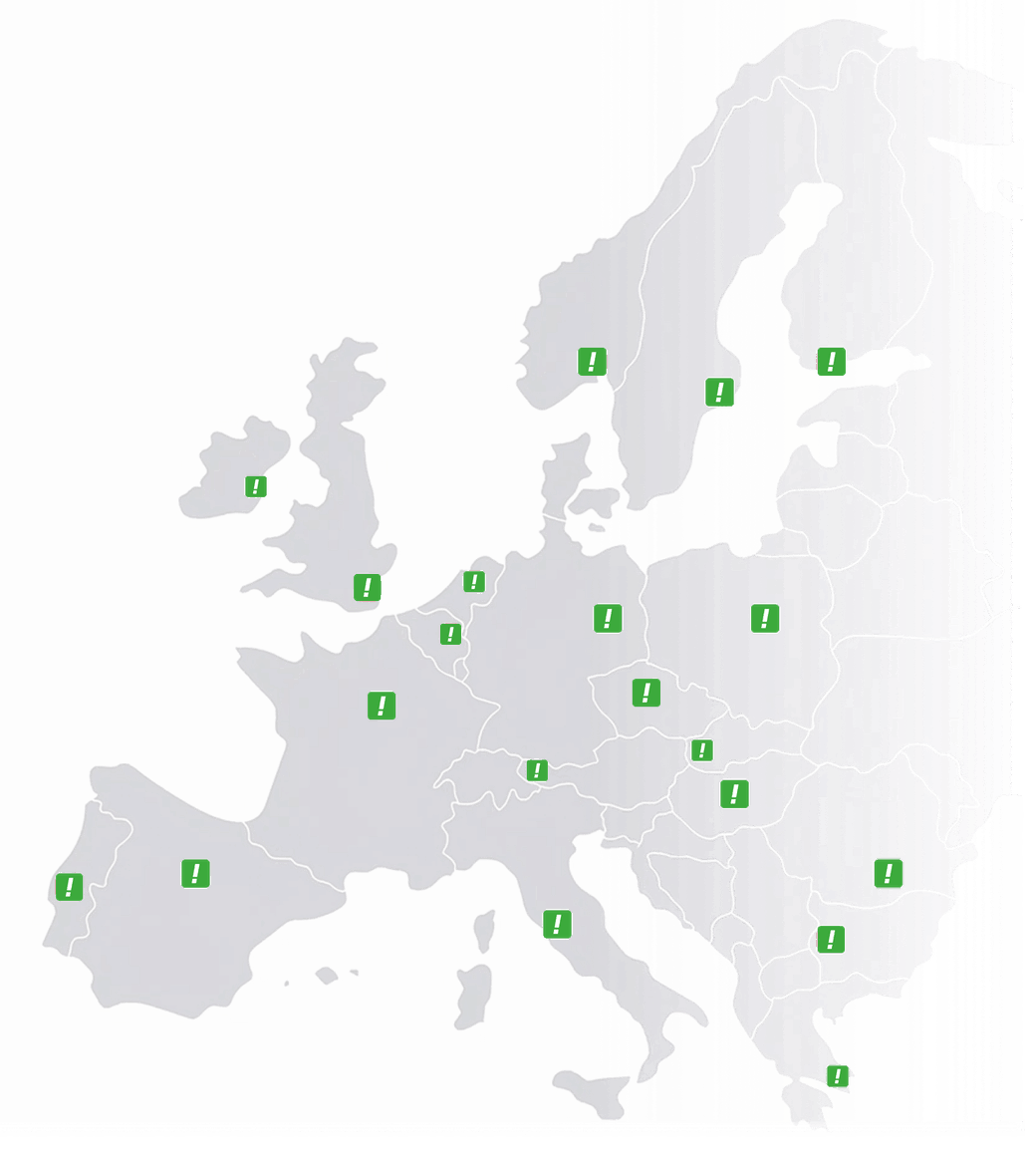 Licensed in 14 European countries