








 Denmark
 United States
 Austria
Web interface
The web interface is your control panel for everything in CallFactory. Configure phone numbers, manage devices, set up call routing, download softphone licenses, and review call statistics — all from a single dashboard in your browser.
No software to install. Log in from any device, make your changes, and they take effect immediately.
Find your perfect number
Search instantly for available numbers worldwide.

We want only 100% happy customers — just select and request a number, all the rest is on us.
Benefits of the web interface
See how one dashboard gives you full control over your phone system.
Everything in one place
Phone numbers, devices, routing rules, licenses, and statistics — all managed from a single dashboard. No separate portals or third-party tools.
Changes take effect immediately
Update a forwarding destination, add a team member, or change your IVR menu. Changes are live the moment you save — no waiting, no delays.
Access from anywhere
The web interface runs in your browser. Log in from the office, from home, or on the go. All you need is an internet connection.
Powerful features included
Every Callfactory phone system comes loaded with intelligent features that give you greater control, flexibility, and peace of mind — right from day one.
API integrations
Tell us what you need, we build the endpoints. Our private API lets you integrate CallFactory telephony into your own software — no generic library, no guesswork, no wasted development time.
Calendar-based call routing
Automatically route calls based on your schedule. Office hours, rotating shifts, holidays, and on-call rosters — calls always reach the right person at the right time.
Call filter
Block unwanted callers, allow only authorised numbers, or reroute specific callers to different destinations. The call filter keeps your business lines open for the calls that matter.
Call forwarding
Forward incoming calls to any landline, mobile, or team. Set rules based on time and availability — manage everything from your dashboard.
Call insights
Track call performance with clear data. See who called, when, how long, and where calls were routed — all from your dashboard.
Call notes
Capture every insight from every call. Add notes directly in your dashboard to keep follow-ups, customer requests, and action points in one place.
Call queue system
Every business has peak moments. The queue system catches callers before they hang up, keeps them informed with hold music or messages, and connects them to the next available team member …
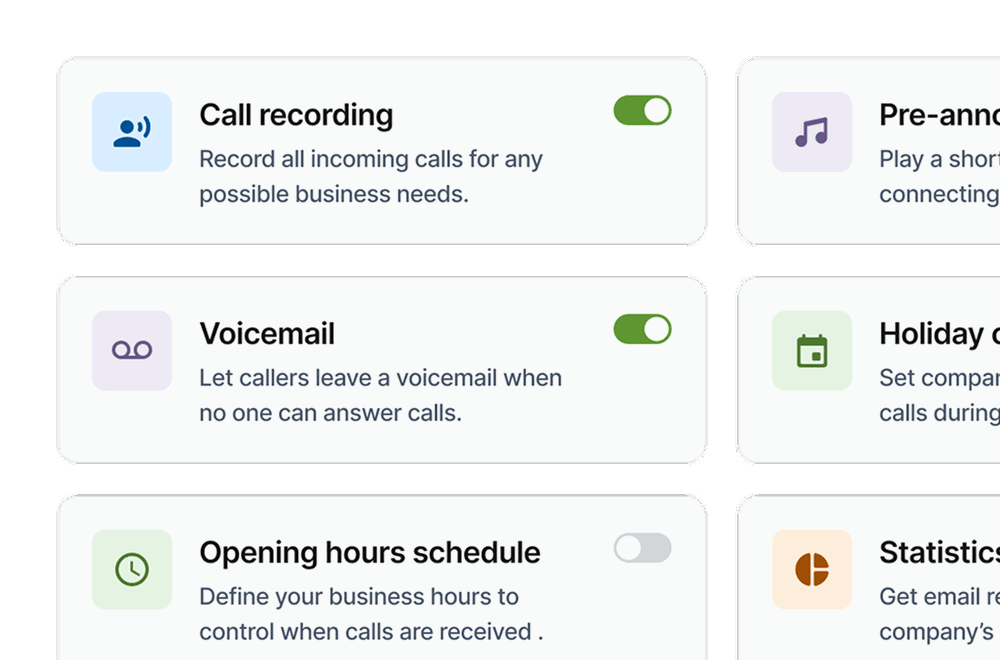
Call recording
Automatically record incoming business calls. Listen back via the dashboard, download recordings, and use them for training, quality monitoring, and compliance.
Central business number
One phone number for all your locations. CallFactory routes callers to the nearest branch automatically — by area code, postcode, or phone menu.
Change final destinations
Forward calls to any phone — mobile, landline, or VoIP. Change destinations anytime through the dashboard, add as many extensions as you need, and route calls to colleagues anywhere in the world.
Custom solutions
Our flexible IVR platform allows us to build powerful, custom solutions tailored to your business operations.
Custom telephony
Incident hotlines, automated order lines, SMS confirmations, self-service systems — if you can describe it, we can build it on our IVR platform.
Dedicated IVR servers
Your own IVR server with full control. Build custom call applications, connect AI platforms, and scale from 4 to 200+ channels. The natural upgrade from our private API when you need more.
DenyList routing
Maintain a list of blocked phone numbers that are automatically prevented from reaching your team. Request a block and it takes effect instantly — temporarily or permanently.
File-based routing
Upload a CSV, TXT, or JSON file to update call routing in bulk. Change hundreds of rules at once — PIN codes, allowlists, denylists, area codes, or entire IVR flows.
GitHub routing
Manage call routing from your GitHub repository. Push a routing file, and CallFactory fetches, validates, and applies the changes automatically — with full version history and instant rollback.
International telephony
Get local phone numbers in other countries and route calls across borders. CallFactory is a registered telecom operator in 13 countries — reliable international telephony without complexity.
IVR toolkit
Build custom call flows with structured actions. Play audio, collect input, stream to AI, dial, transfer, and record — all developer-friendly and AI-ready.
Peak traffic management
Handle sudden call spikes from campaigns, media exposure, or seasonal peaks. Our cloud-based platform absorbs the volume so no caller hears a busy tone.
Phone menu (IVR)
Help callers reach the right person immediately. With a simple menu, you route every call to the right employee or department.
PIN code routing
Route calls based on a PIN code. Each PIN leads to a different destination — ideal for VIP clients, internal lines, restricted services, and multi-tenant setups.
Smart voicemail system
When no one picks up, callers leave a voicemail that arrives in your inbox as an audio file. Custom greetings, multiple recipients, and no extra software needed.
Star a call
Star a call helps you focus on the conversations that truly matter. With one click, important calls stand out.
Statistics by email
Receive daily, weekly, or monthly call reports directly in your inbox. See call volume, duration, peak times, and missed calls — without logging in to anything.
Text to speech assistant
Type your message, choose a voice and language, and it is ready in seconds. Professional voice messages for greetings, voicemail, queues, and menus — no recording equipment needed.
VIP whitelist
Restrict your business line to approved callers only. Only numbers on your whitelist get through — everyone else is blocked or sent to voicemail.
Voicebot
AI-powered voice assistants built on our IVR platform. Automate incoming calls with natural conversation, data lookups, and smart routing.
Webhook call routing
Route calls dynamically using your own webhook. When a call comes in, CallFactory asks your server where to send it — full control in real time.
Welcome message
Greet every caller with a professional message before the call is connected. Record your own, use a voice actor, or generate one instantly with text-to-speech.
Whisper tone
A short audio message tells you which number was called before you answer — whether it is a business call to your mobile, a specific webshop, or an international number.
FAQ web interface
Answers to frequently asked questions about using CallFactory’s web interface.
Everything in your CallFactory phone system: phone numbers, call forwarding rules, phone teams, devices, softphone licenses, IVR menus, SMS messages, and call statistics.
No. The web interface runs entirely in your browser. Log in from any device with an internet connection — desktop, laptop, or tablet.
Immediately. When you update a forwarding destination, change a routing rule, or add a device, the change is live the moment you save it.
Yes. Each user has their own login credentials. You can create separate accounts for team members with appropriate access levels.
Yes. Access is protected by personal login credentials. No data is stored on the local device — everything runs in the browser session and is tied to your account.
Yes. The web interface shows call volume, busiest times, and call distribution per phone number and per destination. Use this data to optimise staffing and identify peak hours.
Yes. Send text messages from your CallFactory business number directly from the dashboard. You can also maintain an SMS address book for frequently contacted numbers.
The web interface is the admin portal where you configure your entire phone system — numbers, devices, routing, licenses, and statistics. The team dashboard is a shared screen for phone team members to manage their availability and call queue during the day.









