Netherlands
 Belgium
 Denmark
 Germany
 France
 United States
 Austria
 UK
UK Spain
Spain Italy
ItalyFixed on mobile
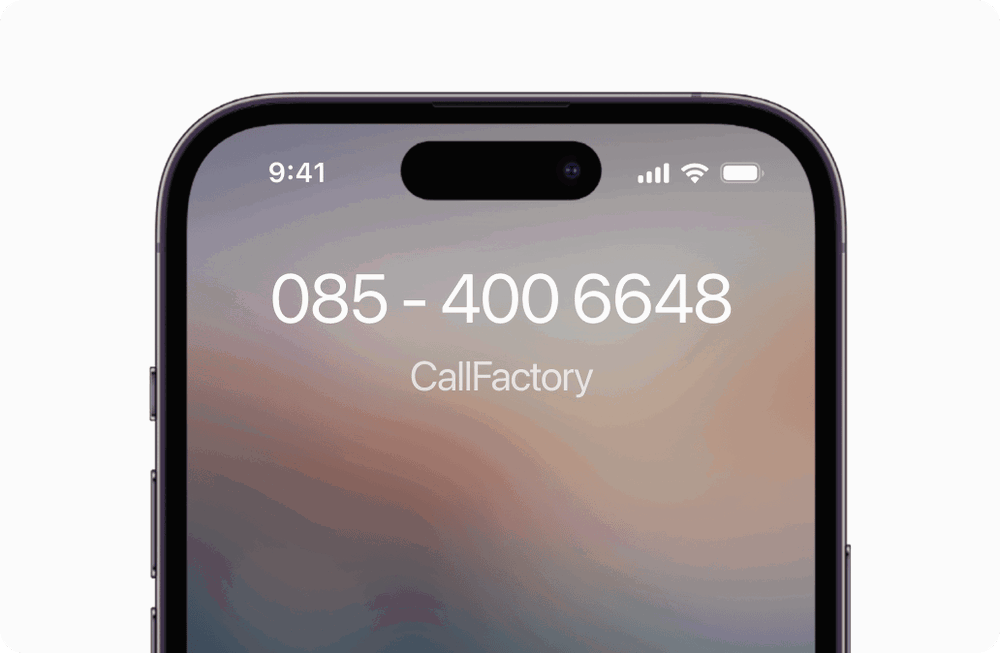
Fixed on mobile means your business number forwards calls directly to your mobile phone over the mobile network. No app to install, no internet connection needed, no VoIP quality issues. The call arrives as a normal phone call on your mobile — reliable, clear, and always working.
This is the most reliable way to receive business calls on a mobile device. Your mobile phone is part of CallFactory’s hybrid phone system, working alongside desk phones, softphones, and SaaS applications.
Listen to the audio guide
0:00 / 0:00
Do you want to stay reachable for business on a fixed number, even when you’re on the move? Then you’ve found it! With a fixed number on your mobile, incoming calls to your fixed business number simply arrive on your mobile phone. Customers call your fixed number and you pick up anywhere, without them noticing any difference.
You decide how the calls come in. Through the Linphone app on your smartphone, or through a direct forward over the mobile network to one or more mobiles — whatever suits each team member best.
That direct forward over the mobile network doesn’t depend on an app or an internet connection. So every call simply comes through, unlike the consumer apps that many providers offer.
You choose the number that fits your business: a national number or a regional number that matches your market. A fixed number builds trust with customers, and your private number stays private.
You don’t need to have a fixed line installed or maintain a physical exchange. So you come across as professional for a low monthly fee, with no upfront installation costs.
Voicemail, forwarding, opening hours, and the ring order you set yourself from the portal. And you keep your existing fixed number thanks to number portability, so customers keep calling the same number they already know.
It suits freelancers and small businesses without their own office, entrepreneurs who are often on the road, and teams working hybrid. One shared business number across several mobiles means the right person picks up, without transferring the caller.
Request your number and we’ll get to work for you.
Find your perfect number
Search instantly for available numbers worldwide.

We want only 100% happy customers — just select and request a number, all the rest is on us.
Why businesses choose fixed on mobile
Discover how a professional business number on your mobile keeps your team reachable, wherever you work.
Professional presence
A proper business number builds trust with customers and prospects more than a personal mobile number, improving your brand perception immediately. Choose from US toll-free numbers like 1-800, 1-888, or 1-877, or a regional number like 212 (New York), 312 (Chicago), or 415 (San Francisco) that fits your market.
Always reachable
With a business number on your mobile, your business stays reachable even when the office is empty, so you never miss a customer or prospect call just because you are away from your desk or working from another location.
No expensive hardware
You do not need to install a landline, buy expensive phone systems, or maintain physical infrastructure, so you look professional while paying a flat monthly rate with no upfront setup costs.
Self-managed via dashboard
Voicemail, call forwarding, and business hours are managed directly through your online dashboard, so you adjust your team's availability without waiting for support or technical help.
How it works
You order a US toll-free number (1-800, 1-888, 1-877) or a regional number (212, 312, 415), or port your existing business number so customers keep dialing the same number they already know.
Once active, you configure your CallFactory dashboard to receive calls through the Linphone app on your smartphone or computer, or through direct forwarding over the mobile network to one or more mobile phones. You set the call order, decide what happens when no one answers, and switch between destinations without changing your number.
Within a few days, your number is live and you are receiving business calls from your mobile device while customers only see your professional business number.
What sets our solution apart
Many providers offer consumer-focused apps with professional features, which lock you into a single app and a strong internet connection. CallFactory specializes in business telephony and provides both the Linphone app and direct forwarding over the mobile network, so you choose the method that works best for each user.
Install Linphone on your smartphone and your Mac, Windows, or Linux computer, making your desktop or laptop a full business phone that handles incoming and outgoing calls under your business number. At your desk you call through a headset on your computer, on the road you switch seamlessly to your mobile, and from home you keep working on the same business number without changing any settings.
Beyond basic call forwarding, you get an interactive call menu that routes callers to the right department automatically, call recording for training and verification, voicemail-to-email, and comprehensive call analytics in real time.
Through your online phone system dashboard, you control everything — business hours, call teams, voicemail settings, and routing rules — so you decide how each caller gets helped.
Who this is for
Fixed on mobile works for freelancers and consultants who need professional visibility under their own business number without a physical landline. Small teams without a dedicated office use it to project the same credibility as established companies with a storefront and reception desk.
Entrepreneurs who spend time traveling ensure they do not miss customer or vendor calls because they are away from the office. Teams working remotely or on a hybrid schedule benefit from a single shared business number on multiple mobile devices, so the right person picks up without transferring the caller.
Everything at a glance
Available number types: US toll-free (1-800, 1-888, 1-877) and regional numbers (212, 312, 415, and others), so you pick the number that fits your business and market.
Call forwarding options: to a mobile number, a desk phone, a softphone, or voicemail, in any order and with any combination of fallbacks you need.
Premium features: interactive call menus, call recording, real-time analytics, and voicemail-to-email, so customers reach the right information quickly even outside business hours.
Technical requirements: no special hardware — any mobile phone works with the service. Linphone runs on Mac, Windows, and Linux, making your computer a full business phone.
Administration: 24/7 access to your online dashboard for all settings.
Explore other phone system components
Mix and match desk phones, softphones, mobile forwarding, dashboards, and web tools to build the setup that fits your team.
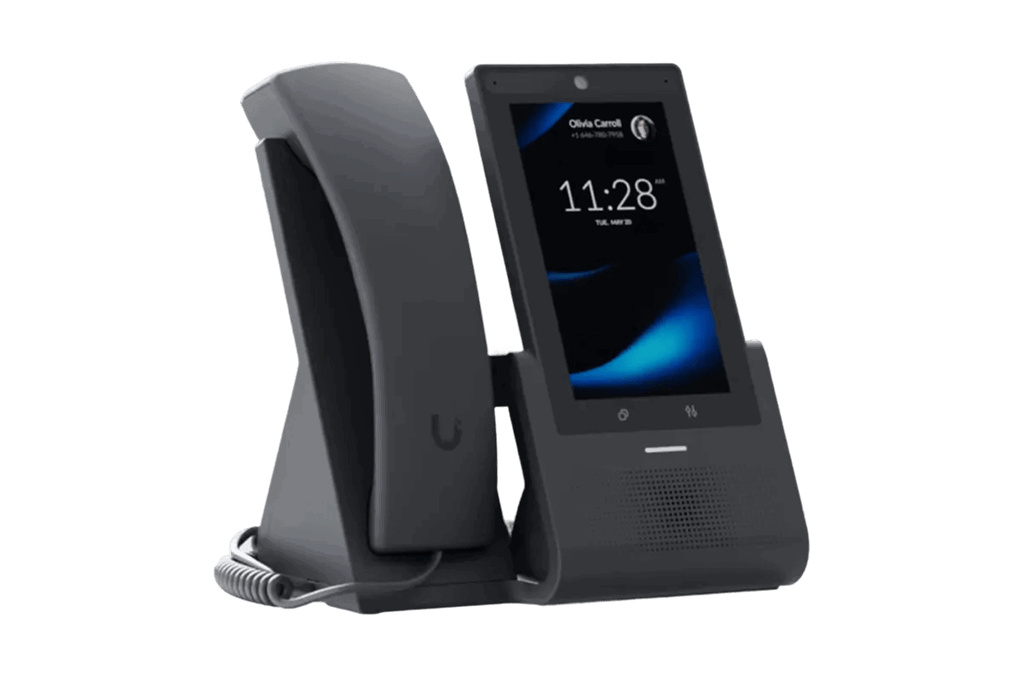
Reliable desk phone for daily business calls
A physical desk phone built for teams that want a familiar, dependable setup. It plugs into your business number with full routing, hours, voicemail, and team rules handled in the background for everyday office use.
- Professional handset for daily call volume
- Connected to your CallFactory number and routing logic
- Ideal for receptions, sales desks, and back-office teams
Desk phone setup
- Works with your business number
- Incoming calls routed automatically
- Shared availability rules per team
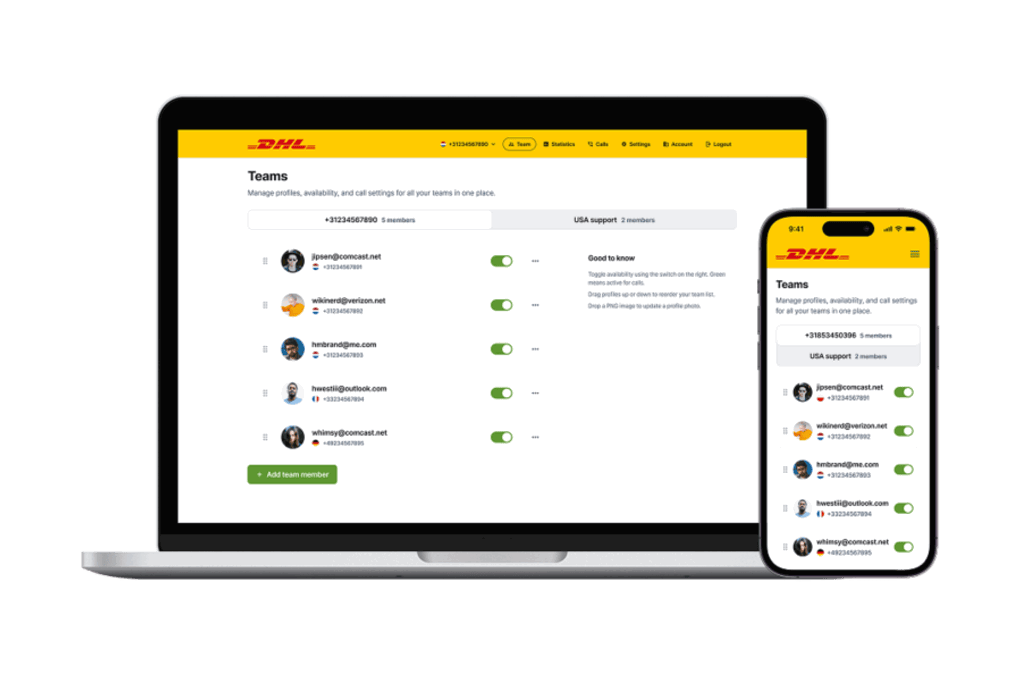
Your business line, on any laptop or desktop
Place and receive business calls directly from your computer, no hardware required. Same number, same identity, wherever your team is working from, with flexible call access across every location and device.
- Keeps a consistent business identity across locations
- Make and take calls from a laptop or desktop
- Perfect for remote and hybrid teams
Softphone setup
- Can be combined with desk phones
- Works with your business number
- Runs on Mac and Windows
Control your full phone system in the browser
The online control layer for your business telephony. Change destinations, update routing, manage opening hours, and review activity from one clean dashboard, without waiting for external technical support.
- Update destinations and forwarding rules in seconds
- Manage opening hours, holidays, and voicemail
- Review call activity from any device
Web interface setup
- Manage routing and destinations
- Configure opening hours and holidays
- Update settings from anywhere
Shared visibility & call handling for teams
A coordinated view of your team's availability and incoming calls. Route conversations to the right person, share workloads, and keep customers from waiting, even when several people share the same number.
- See who is available and who is on a call
- Route incoming calls to the right team member
- Support shared queues and team workflows
 Alex Morgan
+1 202 400 6640
Alex Morgan
+1 202 400 6640
 Priya Shah
+44 20 400 6641
Priya Shah
+44 20 400 6641
 Daniel Kim
+65 400 6642
Daniel Kim
+65 400 6642
Team dashboard setup
- Live availability per team member
- Shared queues and overflow rules
- Smart routing to the right person
Powerful features included
Every CallFactory phone system comes loaded with intelligent features that give you greater control, flexibility, and peace of mind — right from day one.
API integrations
Tell us what you need, we build the endpoints. Our private API lets you integrate CallFactory telephony into your own software — no generic library, no guesswork, no wasted development time.
Calendar-based call routing
Automatically route calls based on your schedule. Office hours, rotating shifts, holidays, and on-call rosters — calls always reach the right person at the right time.
Call filter
Block unwanted callers, allow only authorized numbers, or reroute specific callers to different destinations. The call filter keeps your business lines open for the calls that matter.
Call forwarding
Forward incoming calls to any landline, mobile, or team. Set rules based on time and availability — manage everything from your dashboard.
Call Insights
Track call performance with clear data so you see directly from your dashboard who called, when, how long, and where calls were routed.
Call notes
Capture every insight from every call. Add notes directly in your dashboard to keep follow-ups, customer requests, and action points in one place.
Call queue system
Every business has peak times when all lines are busy at once. The queue holds those callers with music or a message and connects them automatically to the next available team member, so you never …
Call Recording
Automatically record incoming business calls so you can listen through the dashboard, download recordings, and use them for training, quality assurance, and compliance.
Call from your browser
Open the tab, type a number or pick someone from speed dial, and call. We ring you on the phone you already have and connect you, with your business number showing on the other end. No handsets, no …
Custom solutions
Our flexible IVR platform allows us to build powerful, custom solutions tailored to your business operations.
DenyList routing
Maintain a list of blocked phone numbers that are automatically prevented from reaching your team. Request a block and it takes effect instantly—temporarily or permanently.
International telephony
Get local phone numbers in other countries and route calls across borders. CallFactory is a registered telecom operator in 14 European countries — reliable international telephony without complexity.
Main Phone Number
One central national main phone number for all your offices and branches, with a voicebot asking callers for zip code, product, or branch name and routing the call to the right location based on that …
Peak traffic management
Handle sudden call spikes from campaigns, media exposure, or seasonal peaks. Our cloud-based platform absorbs the volume so no caller hears a busy tone.
Phone menu (IVR)
Help callers reach the right person immediately. With a simple menu, you route every call to the right employee or department.
PIN code routing
Route calls based on a PIN code. Each PIN leads to a different destination — ideal for VIP clients, internal lines, restricted services, and multi-tenant setups.
Smart voicemail system
When no one picks up, callers leave a voicemail that arrives in your inbox as an audio file. Custom greetings, multiple recipients, and no extra software needed.
Text to speech assistant
Type your message, choose a voice and language, and it is ready in seconds. Professional voice messages for greetings, voicemail, queues, and menus—no recording equipment needed.
VIP whitelist
Restrict your business line to approved callers only. Only numbers on your whitelist get through — everyone else is blocked or sent to voicemail.
Welcome message
Greet every caller with a professional message before the call is connected. Record your own, use a voice actor, or generate one in seconds with text-to-speech.
Whisper tone
A brief audio message tells you which number was dialed before you answer, so you immediately know whether this is a business call on your mobile, a specific webshop, or an international number.
FAQ fixed on mobile
Answers to frequently asked questions about using your business number on a mobile phone.
No, they only see your fixed number and experience no difference from a traditional landline, so your professional image stays intact.
Yes, you link an unlimited number of business phone numbers to your account and route each number to different phones or teams, so every department is reachable on its own number.
The call goes automatically to voicemail or to a colleague, depending on the fallback you set, with each business number keeping its own voicemail separate from your personal phone.
No, any mobile phone works with the service. You choose whether calls arrive via the Linphone app, which you install on your smartphone and on your Mac, Windows or Linux computer, or via direct forwarding over the mobile network.
Yes, number portability is available, so your existing fixed number transfers to our service smoothly without customers having to learn a new number.